👋 Welcome
Welcome to Lowe Driver Hub.
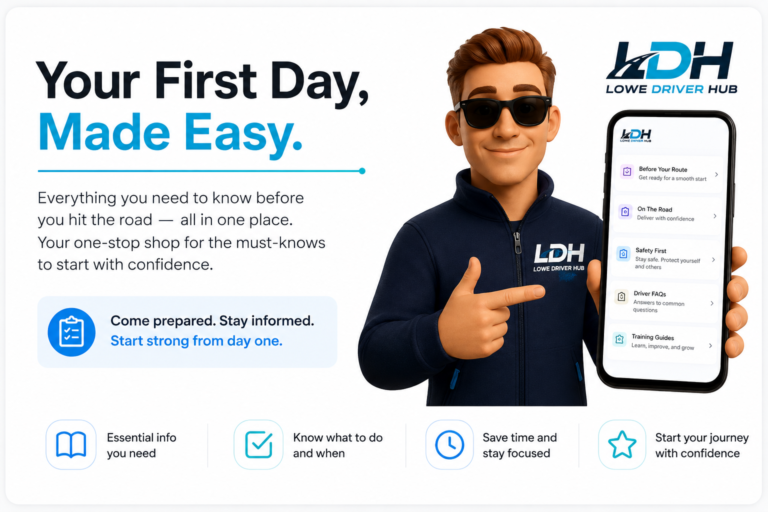
This page has been designed for new Delivery Associates and covers the essential information you should know before completing your first route. You'll find the key topics every driver is expected to understand, with links to more detailed guides throughout the Hub.
Take a few minutes to read through this page before heading out on your own. It'll help you start your first day with confidence and avoid some of the most common mistakes new drivers make.
📱 Amazon Flex App
The Amazon Flex app is the main app you'll use throughout your route. This is where you'll log in, view your route, navigate to your staging location, scan parcels, complete deliveries and communicate with customers through the delivery workflow.
Before leaving the station, make sure you're logged in successfully, your route has appeared correctly and you know which staging location your cages are assigned to. If you experience any issues, contact your ride along trainer or manager
📱 AFS Driver App
The AFS Driver App is used to manage your employment and daily driver tasks. This includes completing vehicle checks, submitting NOAs, viewing your work schedule and accessing important company information.Make it a habit to check the AFS app before every shift to ensure you've completed any required actions and have all the information you need before starting work.
🚐 Before Your Route
Preparation is one of the biggest factors in having a successful day.
Before arriving at the station, make sure you've completed your vehicle checks (Check AFS App guides on how to do this), plan your parcels and have everything you'll need throughout your route (Collection Labels / Weather Bags). Taking a few extra minutes before setting off can prevent delays, missing parcels and unnecessary problems later in the day.
📦 Delivery Workflow
Every delivery should follow the same simple routine.
Read the customer notes, scan the parcel, knock on the door or ring the doorbell and allow the customer around 20 seconds to answer before continuing with the delivery workflow.
Only avoid knocking if the customer has specifically requested this or it's appropriate for the type of delivery. Following the correct workflow on every stop helps improve the customer experience and reduces Customer Delivery Feedback (CDF).
📍 Safe Places
Choosing the correct safe place is just as important as delivering the parcel itself.
Always follow the customer's delivery preferences where possible and choose a location that is hidden from public view, protected from the weather and unlikely to be accessed by other people. Never leave parcels somewhere that could easily result in theft or damage.
If a suitable safe place isn't available, follow the delivery workflow within Amazon Flex.
Important : Always take a clear and accurate POD for all unattended deliveries
⭐ Customer Experience
Every delivery contributes towards the customer's overall experience.
Always be polite, professional and take a few extra moments to read the customer notes before approaching the property. Knock or ring the doorbell, be patient if accessibility or disability instructions are provided and never rush a customer.
Small actions like following instructions correctly and waiting a little longer at the door can significantly improve Customer Delivery Feedback (CDF) and help maintain excellent delivery standards.
🛡️ Stay Safe
Your safety—and the safety of others—must always come first. Drive responsibly, follow the Highway Code and never rush or take unnecessary risks to complete a delivery. If you encounter loose dogs, aggressive customers, dangerous road conditions, vehicle issues or any situation that makes you feel unsafe, stop and assess the situation before continuing. Inform your manager and follow the appropriate process within Amazon Flex.
Remember: No parcel is more important than your safety, the safety of other road users, or the condition of your vehicle
💷 Payments
Getting paid is simple, but it's important to understand how it works.Drivers are paid weekly, with payment usually arriving two weeks after the work has been completed.
This means there is typically a delay before receiving your first payment. Invoices are normally sent on Monday afternoon or evening, with payments made on Fridays. It's important to check your invoice as soon as you receive it. If you notice anything that doesn't look right, contact your manager immediately. Any pay queries should be raised as soon as possible, as changes cannot be made after a Thursday.
💬 Deductions & Additional Payments
If you believe your invoice is incorrect, you can query it with your manager. If another driver has provided support (a rescue) on your route, you may see a deduction on your invoice. This is usually shown as a decimal (for example, 0.20) and represents the proportion of the route that required support. Likewise, if you provided support to another driver which was paid, you'll see an additional payment, also shown as a decimal or this may appear as a Rescue Payment. This represents the percentage of the other driver's route that you completed.
If you're ever unsure about a deduction, additional payment or any other part of your invoice, speak to your manager as soon as possible so it can be investigated before payroll is finalised.
🌴 Holidays
As a self-employed driver, you are responsible for managing your own availability. Please provide at least 21 days (3 weeks) notice whenever possible by updating your availability in the system. This applies throughout the year and helps your manager plan routes and staffing effectively.
If you're planning a holiday or extended time off, update your availability to reflect the dates you'll be away and let your manager know around three weeks in advance. This gives them enough time to arrange for your assigned van to be returned and reallocated while you're away.
Providing plenty of notice helps ensure your van can be managed correctly and reduces the risk of being charged for a vehicle that isn't returned during your time off.
🚐 Using The Van
Your assigned van is yours to use throughout your rental period and can also be used in your own free time. However, whenever the van is being driven, you are responsible for using it safely and in accordance with company and insurance policies.
Key things to remember:
- Drive safely at all times and follow all road traffic laws.
- Samsara safety cameras monitor driving behaviour whenever the vehicle is in use.
- Keep the vehicle roadworthy and report any damage or mechanical issues promptly.
- Personal fuel costs are your responsibility, including travel to work and private use.
- Business miles are paid and will appear on your invoice.
- Personal mileage is not reimbursed, including commuting and any private journeys.
📊 Understanding Your Metrics
Amazon uses a range of metrics to measure delivery quality, safety and customer experience. Your results can be affected by how you drive, follow delivery instructions and complete each delivery within the Amazon Flex app.
Key things to remember:
- Deliver safely and never rush to improve a metric.
- Follow customer instructions whenever it is safe and appropriate.
- Take clear, compliant POD.
- Contact the customer and follow the correct process before marking a delivery as unsuccessful.
- Scan and complete every delivery accurately.
- Report app, route or delivery issues as soon as they happen.
Review your performance regularly and refer to the driver training guides for anything you do not understand or require some further clarification on. Metrics should be used to identify where support or improvement may be needed—they should never encourage unsafe driving or unsafe delivery decisions.
📞 Need More Help?
No one expects you to know everything on your first day. If you're unsure about anything, Explore all the sections of this website, if you still cannot find the answer to your questions contact your Ride-along Trainer or Site Manager before making a decision. It's always better to ask for guidance than to guess. Lowe Driver Hub has been created to support you throughout your journey as a Delivery Associate, so if you need more information, explore the guides linked throughout this page or head to the home page and use the search option to search the key words for information you hope to understand.
Still Left With Questions?
If you are still struggling to understand aspects of this information, check out our other guides across the website or contact your Site Manager for further assistance
Have a question unanswered?
Leave a comment down below, or send us an email with your question!