
🕒 1 min read
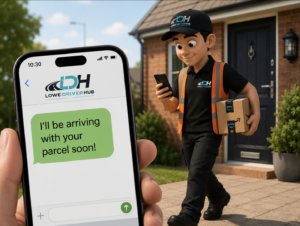
Contact Compliance (CC) is a critical operational metric that ensures delivery associates are making appropriate attempts to contact customers when a package cannot be delivered or an alternative safe place is required
Achieving Compliance
To maintain an excellent CC score, associates must attempt contact in at least 99% of attempt scenarios. The following procedure must be followed precisely:
- Scan the package at the delivery location.
- Select the question mark (?) icon in the top-right corner of the app.
- Choose “Unable to Deliver.”
- Select the most appropriate reason code (e.g., Customer Unavailable, Business Closed, Incorrect Address).
- When prompted, initiate contact via text message or phone call.
Accepted Contact Methods
- Text Message: Automatically fulfills the CC requirement upon sending.
- Phone Call: The call must either be answered by the customer or proceed to voicemail to be considered valid.
One of these outcomes must be achieved for the contact attempt to count toward your compliance score.
Key Reminders:
- Each customer must receive an individual contact attempt, even at shared addresses.
- Skipping steps or using shortcuts (like tapping “Call or Text Customer” without logging a delivery attempt) will result in a failed CC record.
- Please be aware when making a call attempt to the customer you MUST let the call ring through to the customer or voicemail, if you hang up it will count as a fail
By adhering to this process, delivery associates can ensure they meet Contact Compliance standards while maintaining high levels of customer service and operational accuracy.